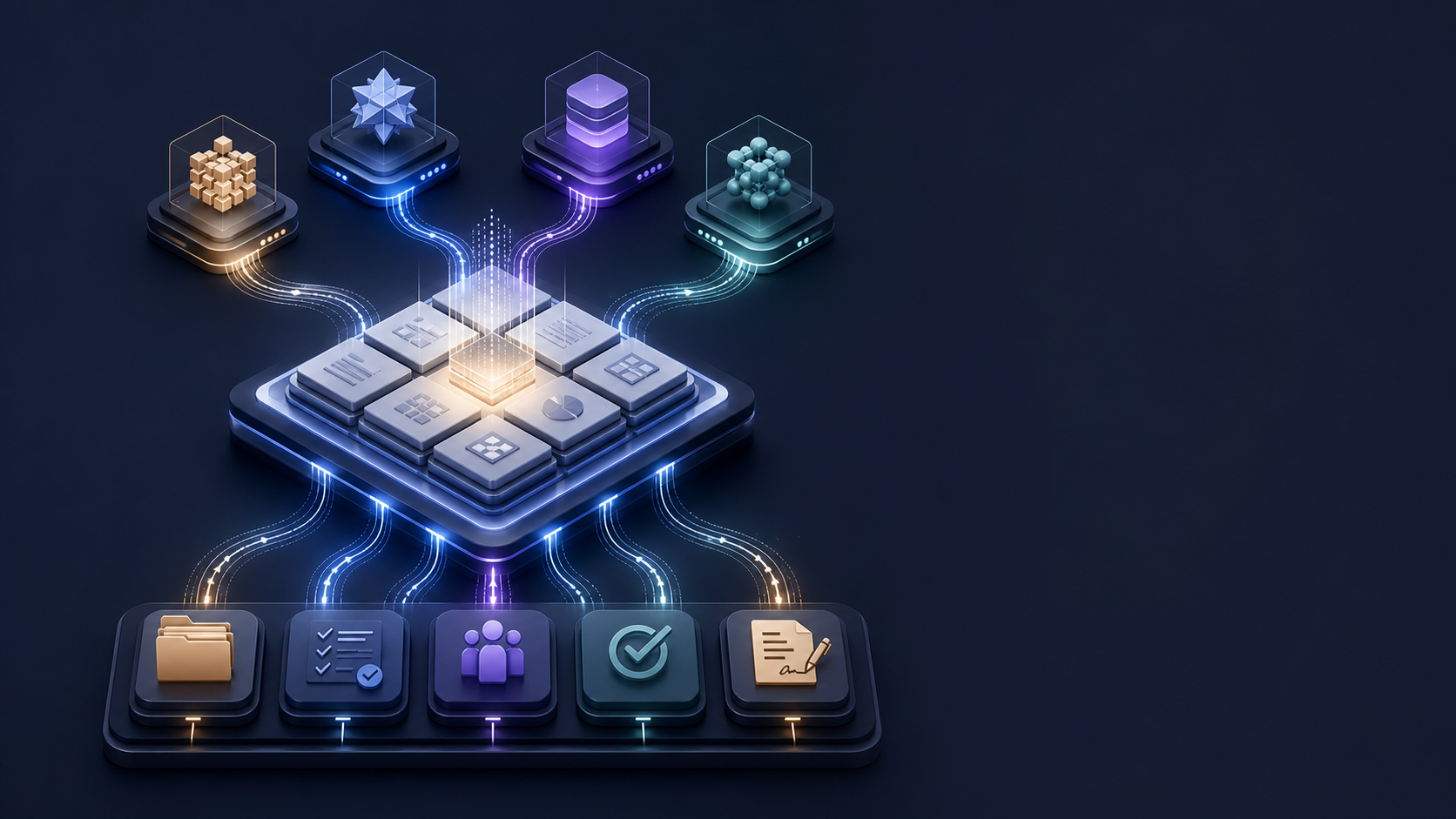
A useful multi-AI workflow needs one shared context layer, one operational system of record, and a small adapter for each AI tool.
My Notion workspace had become the center of my AI workflow. It held notes, meeting transcripts, project material, research, and the context I wanted available to Claude and ChatGPT. It was capable, but it was also getting harder to trust.
I had separate context hubs for different AI tools. The current project status appeared in multiple places. Meeting transcripts and normalized meeting records blurred together. Tasks had two due-date fields because the system had evolved in stages. Historical pages remained visible beside current work.
None of those problems looked serious on their own. Together, they created a tax on every session. Before doing the work, I had to remember where the right version lived.
So I used Codex to help re-architect the workspace while we were working inside it.
The result was not a prettier dashboard. It was a clearer operating model for Notion, Claude, Codex, and Notion AI.
Why did separate AI hubs stop working?
My first instinct was reasonable: give each AI tool its own context.
Claude had a hub. GPT had a hub. Each could hold instructions, project summaries, and facts that made future sessions more useful.
This began to cause chaos when those hubs began carrying operational status. I clearly needed a multi-AI workflow to become my standard OS.
A project would move forward, but the summary in one AI hub would not. A decision might appear in a conversation, a project page, and a context document with slightly different wording. The AI had more context, but I had less confidence in it.
I missed enforcing that durable context should travel across tools. Current operational status should live in one place. Each AI tool needs instructions for using the shared system, not its own copy of it.
We consolidated two AI hubs into one AI Context Hub. That hub now holds portable facts, working rules, and durable context that I want available from Claude, Codex, the web, or my phone.
Then we created two thin adapters.
The Claude adapter explains how Claude should use the shared context and where it should write durable changes. The Codex adapter does the same for Codex. Neither adapter owns the project status.
That status lives in Blane OS, Notion’s operational layer.
This is built on an earlier version of the system I described in Create a Notion Hub for Claude Chat, Cowork, and Code. The new lesson was that a context hub works only when it knows what it should not own.
What became the source of operational truth?
Projects became the organizing frame.
That choice resolved more ambiguity than any dashboard redesign could have. A project is a finite outcome. It has a status, a desired result, a next milestone, and a review date.
Everything else relates back to it:
| Record | What it owns |
|---|---|
| Projects | Outcomes, milestones, status, review dates |
| Tasks | Commitments and due dates |
| Meetings | Normalized conversations, evidence, and relationships |
| Knowledge | Reusable reference and frameworks |
| Decisions | Choices that should survive the current session |
| Contracts | Signed agreements, commercial controls, and renewal dates |
| Operating Reviews | Weekly, monthly, and quarterly maintenance |
This matters for AI because it gives the model a routing rule.
If Codex detects an action during a meeting review, it creates a task for the meeting and the project. If Claude helps make a durable choice, the choice belongs in Decisions. If a project status changes, the project record changes. The AI Context Hub receives an update only when that status needs to travel across surfaces.
The model no longer has to improvise where information belongs. Neither do I.
Why are meeting capture and meeting records different?
Notion AI handles transcription and meeting capture well. I wanted to keep that strength without turning raw transcripts into the operating system.
So AI Meeting Notes remains the capture layer.
The Meetings database is the normalized index. It carries the date, source, related project, tasks, and decisions. The transcript stays available as evidence, but the operational relationships live in a consistent database.
This distinction became useful immediately.
During the cleanup, we found four meetings related to an active executive opportunity, as well as a separate product case interview. The transcripts existed, but not all were related to the project that governed the work.
Codex normalized the dates, marked the records as AI transcripts, connected them to the Leadership Opportunities project, and created follow-up tasks for meetings that contained clear next actions.
The transcripts did not need to move. The relationships did.
That is a broader pattern in AI operations. Raw context can remain where it was captured. A smaller set of normalized records should govern what happens next.
How did a real contract expose the missing control layer?
The best test arrived while we were rebuilding the system.
I signed a new consulting agreement. The assignment had a defined start and end date, a weekly fee, a maximum value, a biweekly invoicing schedule, required sponsor check-ins, equipment requirements, and explicit handling rules for confidential work.
My old filing instinct would have put the PDF in a project page or Knowledge.
Neither was right.
A signed agreement is an authoritative commercial record. It has dates, obligations, confidentiality, payment terms, renewal logic, and a relationship to the project it governs. That justified a Contracts database.
We created a private contract record, connected it to the consulting project, and converted the operational terms into tasks:
- Confirm the client laptop, tools, and secure access.
- Schedule twice-weekly sponsor check-ins.
- Submit the first biweekly invoice.
- Complete the assignment deliverables.
- Submit the final invoice and closeout.
The project changed from Waiting to Active. Its next milestone changed to the actual kickoff conditions.
One step is still required of me. The Notion connector could create the record and summarize the agreement, but it could not upload the local PDF binary. I had to open the page, type /file, and attach it myself.
That limitation was useful. It drew a clean line between what the agent could safely structure and what still needed a human action.
The exercise also clarified a confidentiality rule: client contracts and proprietary work do not belong in general Knowledge or the shared AI Context Hub. The operational record can summarize the controls and link to the private source.
What did Codex change, and what did it leave alone?
The workspace did not need to be flattened.
Creative already had a Content Library, editorial workflows, and publishing assets. Personal had purpose-built systems for health, household, career, and other domains. Those systems were useful because they were specialized.
We kept them.
We also created an Archive for historical material and a Triage Queue for pages that could not be classified confidently. Triage had a status, a proposed home, a reason, and a review date. It was a decision queue, not another storage area.
By the end of the stabilization pass:
- Two AI context hubs had become one.
- Claude and Codex each had an adapter.
- Eighteen legacy task dates were migrated into one canonical Due field.
- The migration had zero discrepancies.
- Two unresolved career items were classified and connected to the right project.
- Triage had no unresolved records.
- Weekly, monthly, and quarterly operating reviews were scheduled in Notion and Google Calendar.
There were two exceptions.
A Notion-managed Home page could not be moved or renamed, so we documented it as a platform exception and declared Blane OS Home canonical.
The contract PDF required a manual upload.
I prefer those explicit exceptions to a false claim that everything was automated. A trustworthy system should say where its authority ends.
Decision framework: How should you design a multi-AI workflow and context hub?
Before adding another AI hub, database, or layer, I would now use six tests.
1. Does the information need to travel?
Put context in the shared hub when you want it available across Claude, Codex, Notion AI, web, or mobile.
Examples include your operating principles, durable preferences, locked positioning, and stable project facts.
Do not put every project update there. Most current status belongs in the project record.
2. Which system has authority?
Every record type needs one source of truth.
If a task can be completed in two places, it will eventually be completed in one and remain open in the other. If project status appears in three hubs, one of them will become stale.
Choose the authority first. Build views and AI access around it.
3. How quickly does the information change?
Durable context and fast-moving status have different maintenance needs.
A rule such as “WordPress owns the canonical article” is durable. The current draft status of an article is operational. One belongs in shared context. The other belongs in the Content Library.
4. Is the information safe to share across AI surfaces?
Portability is useful until it broadens access to material that should stay private.
Contracts, compensation work, interview material, and client work product need explicit confidentiality controls. Summarize only what the shared workflow needs.
5. Does the information create an action?
If the answer is yes, prose is probably the wrong final form.
Turn a commitment into a Task. Turn a finite outcome into a Project. Turn a signed agreement into a Contract. Turn a durable choice into a Decision.
AI can help extract those records, but the records should govern the work.
6. What keeps the system current?
I added three review cadences:
A 20-minute weekly review for capture, tasks, meetings, and project milestones.
A 30-minute monthly review for triage, contracts, stale work, and archive maintenance.
A 60-minute quarterly review for portfolio load, strategic fit, and system health.
The calendar blocks matter as much as the databases. Without review time, a carefully designed workspace becomes an accurate picture of last month.
What should operators take from this?
The model is not the operating system. Notion is not automatically the operating system either.
The system comes from authority, routing, relationships, confidentiality, and review cadence.
Codex was useful because it could inspect the existing structure, reason about the architecture, make controlled changes, verify migrations, and leave an audit trail in the same workspace. It also revealed its limits rather than hiding them.
But the most important change was a decision to stop.
After the stabilization review, we recorded a change-control rule: no new database, hub, or taxonomy unless repeated use exposes a specific failure that cannot be solved with an existing property, relation, or view.
That rule may save more time than the rearchitecture itself.
If you are building a Notion multi-AI workflow, start by naming the source of truth for each kind of work. Then give every AI tool a route into that system. Do not give each one a separate copy.
For a practical starting point, use the architecture above to audit your own workspace before adding another tool. The AI SMB Toolkit provides additional operating patterns for putting AI into real business workflows.